
-
×
 GRDEAL External HD Enclosure
1 × ₨850.00
GRDEAL External HD Enclosure
1 × ₨850.00
Subtotal: ₨850.00


Out of stock
For Credit facilities .Customer must to shop for quotation.
Credit services offered through(C.I.M/ROGERS/DBM/ECO CREDIT)
FOR CREDIT SHOP CONDITION APPLIES.
*Quotation via email are not accepted by any credit services (C.I.M/Rogers/DBM/Eco credit)
*Once Credit services approves and documents signed. Customer can pick up item in shop.
(Note for this option: YOU NEED TO ALREADY BE A REGISTERED customer to Credit services (C.I.M/Rogers/DBM/Eco credit))
-REGULAR CLIENT TO Credit services (C.I.M/Rogers/DBM/Eco credit)
-YOU NEED TO HAVE NO LATE PAYMENT.
-NO UNBALANCED ACCOUNT.
Documents required for Credit application.
₨850.00 ₨1,122.00
Out of stock
|
Description:
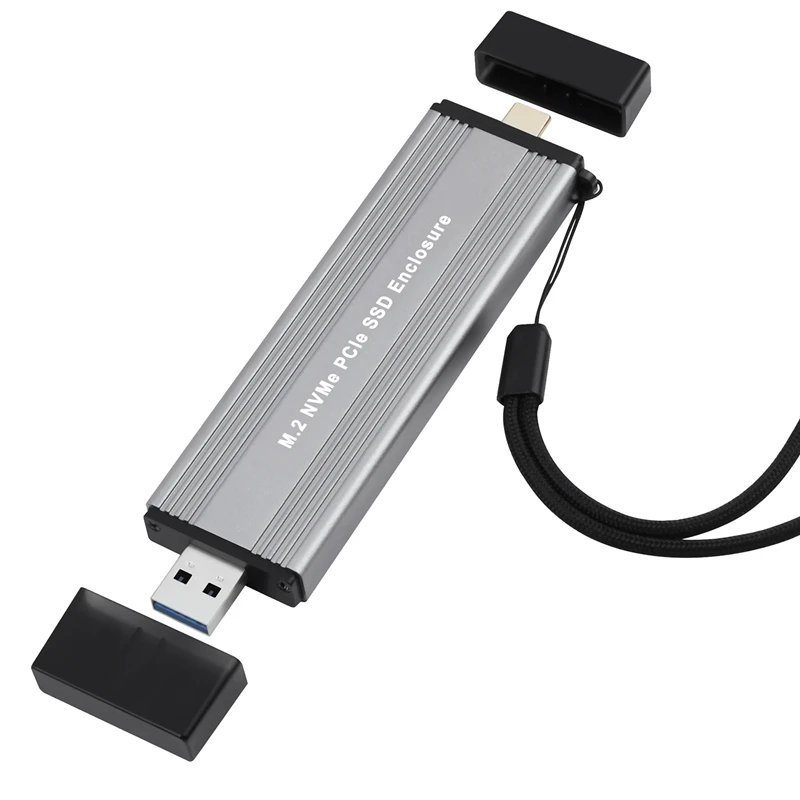
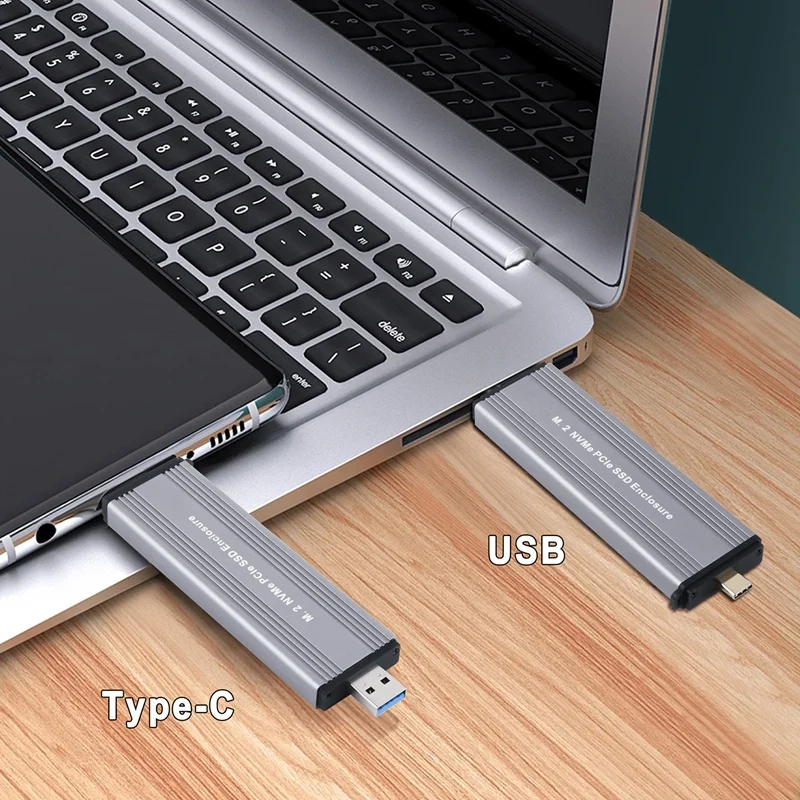
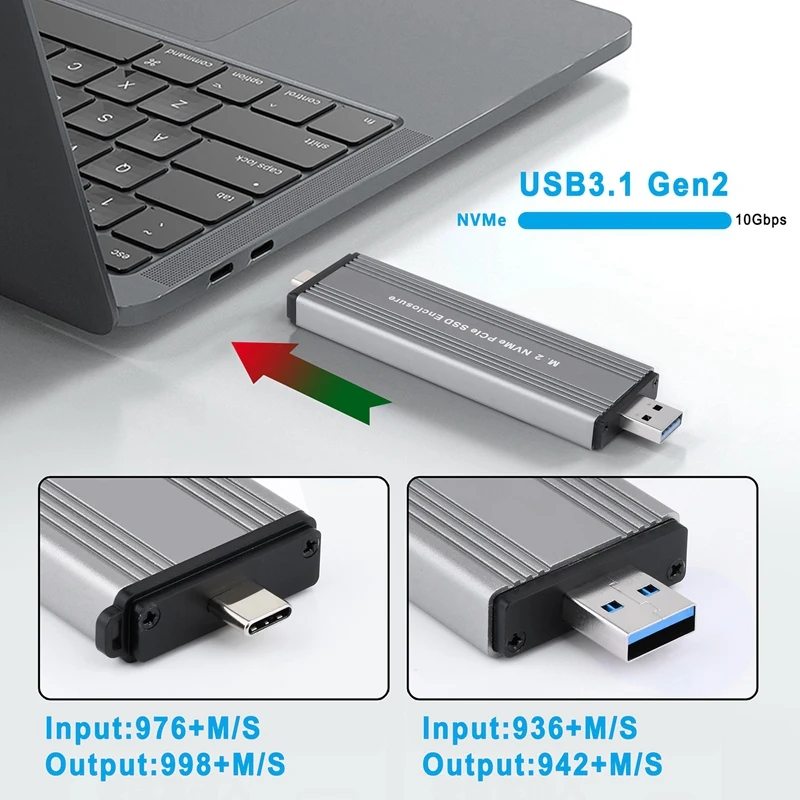
Support USB3.1 Type-A + USB3.2 Gen2 Type-C 10Gbps Model.
Support NVME PCIe M key/M+B Key SSD.
Feature:
1. M.2 NVME to USB 3.1 hard drive enclosure.
2. Support NVME protocol, suitable for M2 (M/M+B Key) SSD.
3. Support M.2 SSD, 22*30mm, 22*42mm, 22*60mm, 22*80mm solid state drives, (SSD hard drives are not included).
4. The aluminum alloy shell increases the heat dissipation area, which facilitates the heat dissipation of the hard disk during work and increases the life of the hard disk.
5. Support UASP protocol.
6. Easy to use, no need to drive.
7. Easy to carry with strap.
Gkikir Features: USB Specification: USB 3.1 GEN2, backwards compatible
Supported Systems: Windows/OS/Linux and other systems
Supported Hard Disk Size: 2230/2242/2260/2280
External Interface: USB A (USB) / USB C () / 3
Transmission Rate: 10Gbps (NVMe), Product Size: L128 x W26.5 x H12(mm)
Specifications:
Type: M.2 NVME SSD Enclosure
Application: M.2 NVME 2230/2242/2260/2280 SSD
Main Control: 583
Maximum support: 2TB
Support interface: B+M key/M key(NVMe)
Output Connector: pe-C/pe-A
System: Windows 98/Se/Me/2000/XP/Vista/Win7/Win8/Win10/Win11/ OS 8.6 or latest version
NVMe Priority: 1.Better Performance 2.Reduced Delay 3.Reduce Power Consumption 4.Increased SSD
Warm reminder
1.M.2 SSD is not included.
2. NVMe model case is NOT compatible with NGFF SATA M.2 SSD Vice versa.
3. For new SSD, please initiate it first. The SSD is then detected. Follow the steps below to complete the disc initialization.
Right-click “Computer”-“Management”-“Disk Management”. Find the unassigned disk, right-click “Unassigned” and select “New Simple Volume Wizard”.
4. It is normal that the aluminum case gets hot during use and will not affect normal use.
Color: Gray
Material: Aluminum alloy
For Credit facilities .Customer must to shop for quotation.
Credit services offered through(C.I.M/ROGERS/DBM/ECO CREDIT)
FOR CREDIT SHOP CONDITION APPLIES.
*Quotation via email are not accepted by any credit services (C.I.M/Rogers/DBM/Eco credit)
*Once Credit services approves and documents signed. Customer can pick up item in shop.
(Note for this option: YOU NEED TO ALREADY BE A REGISTERED customer to Credit services (C.I.M/Rogers/DBM/Eco credit))
-REGULAR CLIENT TO Credit services (C.I.M/Rogers/DBM/Eco credit)
-YOU NEED TO HAVE NO LATE PAYMENT.
-NO UNBALANCED ACCOUNT.
Documents required for Credit application.

For Credit facilities .Customer must to shop for quotation.
Credit services offered through(C.I.M/ROGERS/DBM/ECO CREDIT)
FOR CREDIT SHOP CONDITION APPLIES.
*Quotation via email are not accepted by any credit services (C.I.M/Rogers/DBM/Eco credit)
*Once Credit services approves and documents signed. Customer can pick up item in shop.
(Note for this option: YOU NEED TO ALREADY BE A REGISTERED customer to Credit services (C.I.M/Rogers/DBM/Eco credit))
-REGULAR CLIENT TO Credit services (C.I.M/Rogers/DBM/Eco credit)
-YOU NEED TO HAVE NO LATE PAYMENT.
-NO UNBALANCED ACCOUNT.
Documents required for Credit application.
For Credit facilities .Customer must to shop for quotation.
Credit services offered through(C.I.M/ROGERS/DBM/ECO CREDIT)
FOR CREDIT SHOP CONDITION APPLIES.
*Quotation via email are not accepted by any credit services (C.I.M/Rogers/DBM/Eco credit)
*Once Credit services approves and documents signed. Customer can pick up item in shop.
(Note for this option: YOU NEED TO ALREADY BE A REGISTERED customer to Credit services (C.I.M/Rogers/DBM/Eco credit))
-REGULAR CLIENT TO Credit services (C.I.M/Rogers/DBM/Eco credit)
-YOU NEED TO HAVE NO LATE PAYMENT.
-NO UNBALANCED ACCOUNT.
Documents required for Credit application.
For Credit facilities .Customer must to shop for quotation.
Credit services offered through(C.I.M/ROGERS/DBM/ECO CREDIT)
FOR CREDIT SHOP CONDITION APPLIES.
*Quotation via email are not accepted by any credit services (C.I.M/Rogers/DBM/Eco credit)
*Once Credit services approves and documents signed. Customer can pick up item in shop.
(Note for this option: YOU NEED TO ALREADY BE A REGISTERED customer to Credit services (C.I.M/Rogers/DBM/Eco credit))
-REGULAR CLIENT TO Credit services (C.I.M/Rogers/DBM/Eco credit)
-YOU NEED TO HAVE NO LATE PAYMENT.
-NO UNBALANCED ACCOUNT.
Documents required for Credit application.





There are no reviews yet.