Grand Theft Auto VI: Ultimate Edition Digital PS5 Shared Account System!
₨3,850.00 ₨5,082.00
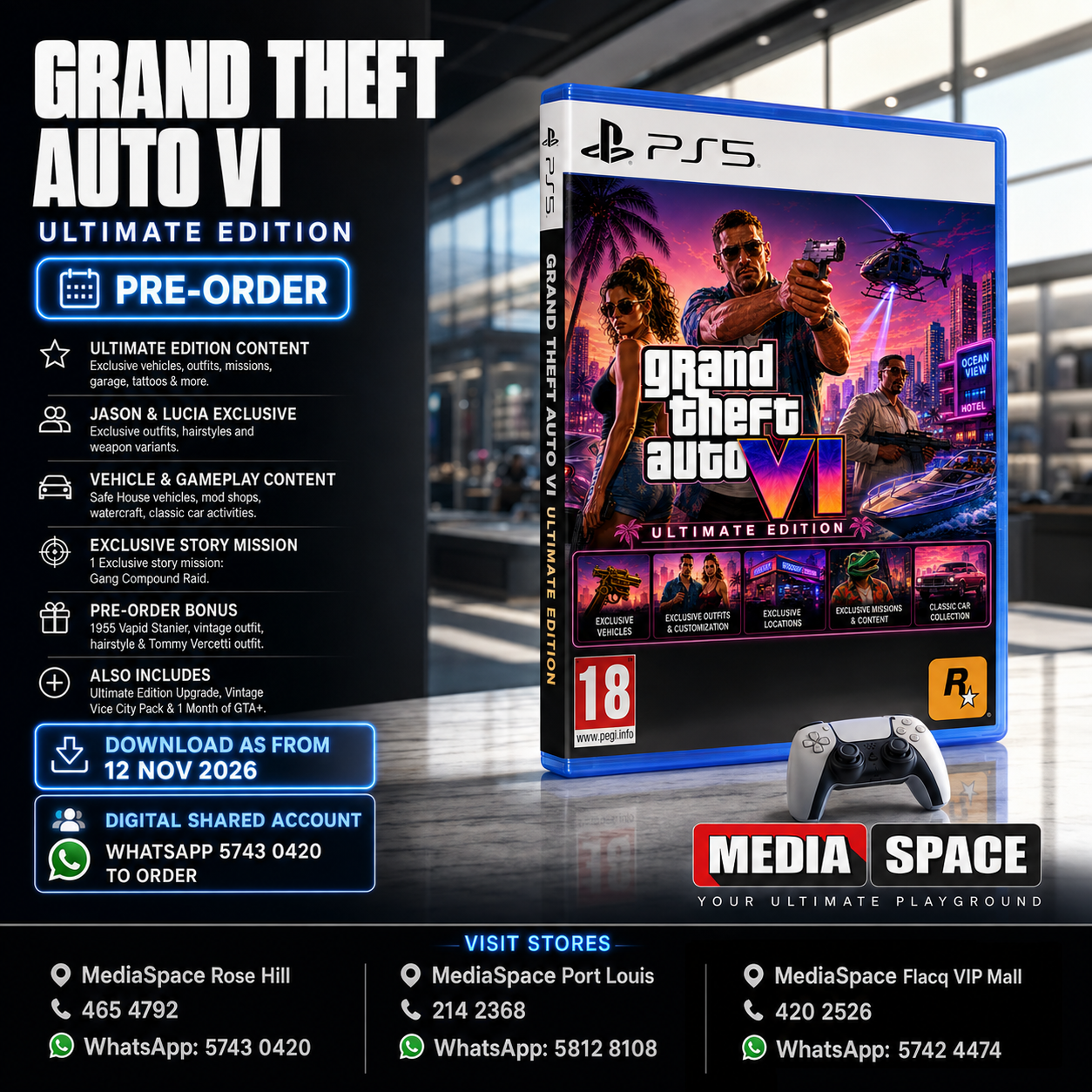
🎮 Grand Theft Auto VI (GTA VI)
📅 Release Date: 19 November 2026
⭐ Ultimate Edition Includes:
- Exclusive vehicles (Grotti Cheetah, Vapid Dominator & more)
- Jason & Lucia exclusive outfits, hairstyles and weapon variants
- Safe House vehicles & Garage
- Hair Salon, Clothing Store & Tattoo Pack (50 exclusive tattoos)
- Vehicle Mod Shops (standard & off-road customization)
- Watercraft (Boat)
- Classic Car Collection activities
- 1 Exclusive Story Mission (Gang Compound Raid)
- Additional cosmetic and gameplay content
Also Includes:
- Ultimate Edition Upgrade
- Vintage Vice City Pack
- 1 Month of GTA+ (auto-renewing subscription)
🎁 Pre-Order Bonus:
- 1955 Vapid Stanier
- Vintage Outfit & Hairstyle
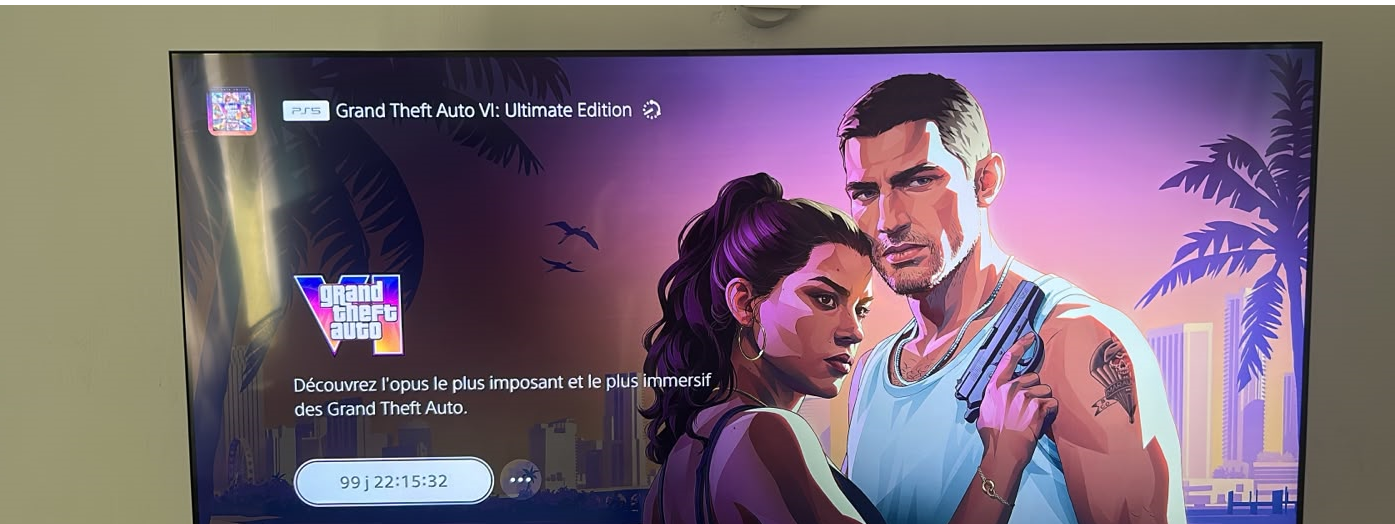
- Exclusive Tommy Vercetti-inspired outfit & weapon variantOnce purchased Official Countdown will appear on your PlayStation
Grand Theft Auto VI – Ultimate Edition (PS5)
Release Date
19 November 2026
Pre-Order Bonus (Available until 19 November 2026)
Pre-order Grand Theft Auto VI and receive:
- 🎁 Vintage Vice City Pack
- 🎁 1 Month of GTA+
GTA+ Offer
- Included at no extra cost with your pre-order.
- Must be redeemed by 31 March 2027.
- Subscription automatically renews after the first month unless cancelled.
- Limited to one redemption per PlayStation account.
Game Overview
Experience the next chapter of Grand Theft Auto in the state of Leonida, where Jason and Lucia are drawn into a dangerous criminal conspiracy across Vice City and beyond.
Grand Theft Auto VI is a single-player experience.
Ultimate Edition Includes
Exclusive Vehicles
- ’95 Grotti Cheetah
- ’67 Vapid Dominator Buggy
- Jason’s Safehouse Vehicles
- Shitzu Squalo Boat
Exclusive Weapons
- Hawk & Little Morgan Revolver
- Personalized weapon variants for Jason & Lucia
Character Customization
- Exclusive outfits
- Hairstyles
- Tattoos
- Makeup & facial hair options
Exclusive Locations
- Rideout Customs
- Sara’s Unisex Salon
- Stock 305 Clothing Store
- Electric Fang Tattoo
- One-Eyed Willie’s Off-Road Mod Shop
Exclusive Content
- Paradise Garage
- Ganado Retro Build
- Goodtime Gear Collection
- PTT Youngin$ Compound Mission
- Classic Car Collection
Pre-Load Information
- Digital Edition: Available to pre-load from 12 November 2026.
- Physical Edition: Includes a download code for pre-loading from 12 November 2026.
Important Information
- Immediate payment is required for all pre-orders.
- Pre-orders can be cancelled according to PlayStation’s pre-order policy.
- GTA+ benefits are linked to the PlayStation account used to pre-order and cannot be transferred.
HOW DOES IT WORK
🎮 PS5 Digital Game Setup Guide
1. Add the Account
From the PS5 Home Screen, open your Profile and go to:
Switch User → Add User → Get Started → Agree & Confirm
2. Send the QR Code Photo
When the QR Code appears, take a clear photo of the entire screen, making sure the 6-digit code below the QR code is visible.
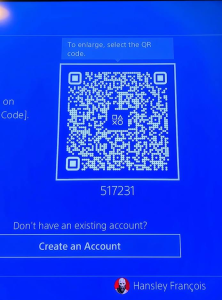
📷 Send me the photo and wait for my confirmation. If code changes , please resend photo
3. Sign In
After I confirm, press Sign In.
You will be logged into the account automatically.
4. Return to the Home Screen
Skip any setup screens until you reach the PS5 Home Screen.
5. Enable Console Sharing & Offline Play
Go to:
Settings → Users and Accounts → Other → Console Sharing & Offline Play
Turn Console Sharing & Offline Play ON.
❗ If you receive an error, send me a photo of the error message.
6. Download Your Games
Open:
Game Library → Your Collection
Select your games and start downloading them.
7. Switch Back to Your Profile
As soon as the download starts, switch back to your own PS5 profile.
✅ Always play your games from your own profile.
❌ Do not play from the purchased account.
8. Keep the Purchased Account
Do not delete the purchased account from your console. It is required for your games to work.
9. If Your Games Become Locked
Sign back into the purchased account and enable Console Sharing & Offline Play again.
This usually fixes the issue.
If the problem continues, contact us for assistance.
🛡️ Lifetime Warranty
This digital game account includes a Lifetime Warranty provided by Media Space, as long as the account rules are followed.
📱 WhatsApp Support: 5743 0420
PAYMENT INFO
Payment
- Payment Method: MCB Juice only
- VAT Invoice provided by Media Space Rose Hill.
Ordering
📱 WhatsApp: 5743 0420
To complete the installation, we will need approximately 10 minutes with you in front of your PS5 connected to the Internet.
Digital Installation Hours
🕐 Every day from 13:00 to 21:00
Payment After Installation
✅ You can pay after the game has been successfully downloaded and tested.
Warranty
🛡️ Lifetime Warranty provided by Media Space, subject to our digital account terms and conditions.
Warranty
🛡️ Lifetime Warranty
Your purchase includes a Lifetime Warranty from Media Space.
To keep your warranty valid, simply play the game only from your own PS5 profile. The purchased account is only for downloading and verifying the game. Do not use the purchased account to play.
As long as you follow these instructions and keep the purchased account on your console, you should never experience any issues.
If you ever need assistance, simply WhatsApp us on 5743 0420. Our team will be happy to help.
🔒 If Your Game Is Locked
Don’t worry—this can occasionally happen and is usually very easy to fix.
- Switch to the profile used to install the game.
- Go to Settings → Users and Accounts → Other.
- Select Console Sharing & Offline Play and make sure it is enabled.
- Switch back to your own profile and try launching the game again.
If the game is still locked, simply WhatsApp us on 5743 0420.
We’ll log the account back in for you and get everything working again. This issue is rare, but if it does happen, we’re ready to help and will resolve it as quickly as possible.
Related products
-
NEW PRODUCTS, Studio Equipment
Professional Studio Continuous Flash Softbox
⭐ ABOUT THIS ITEM
-
💡 150W Advertised Lighting Power
-
🌤️ 6400K Natural White Light
-
📸 Professional Studio Softbox
-
🎬 Continuous Lighting System
-
⏳ Up to 10,000 Hours Advertised Lifespan
-
🔌 E27 Lamp Holder
-
🌟 Soft & Even Light Distribution
-
📷 Ideal for Photography
-
🎥 Excellent for Video Recording
-
📱 Suitable for TikTok & YouTube
-
🛍️ Perfect for Product Photography
-
👤 Suitable for Portrait Photography
-
🎙️ Ideal for Interviews & Podcasts
-
🔴 Excellent for Livestreaming
-
🛡️ Adjustable Light Stand
-
🧩 PC/PBT Plastic Lamp Holder Components
-
🌡️ Advertised Operating Temperature: -20°C to 40°C
-
📋 CE & RoHS Compliance Advertised
-
🏠 Ideal for Home Studios
-
💼 Suitable for Professional Content Creation
SKU: n/a -
-
Earbuds and Headset, Gaming Headset, Music headset, NEW PRODUCTS
Beexcellent Wireless Bluetooth Headphones, 40 Hours HiFi Stereo Bluetooth 5.0 CVC 6.0 Over Ear Headphones with Build-in Mic For gaming Device and SmartPhones
 Earbuds and Headset, Gaming Headset, Music headset, NEW PRODUCTS
Beexcellent Wireless Bluetooth Headphones, 40 Hours HiFi Stereo Bluetooth 5.0 CVC 6.0 Over Ear Headphones with Build-in Mic For gaming Device and SmartPhones
WhatsApp 57430420 for any info
SAMPLES AVAILABLE IN SHOP FOR TESTINGDelivery by car and post office available
WORKS ON ANDROID AND IOS

-
BrandBeexcellent
-
UPC0797805161288
-
ModelQ7
-
eBay Product ID (ePID)18035185202
Product Key Features
-
Wireless TechnologyBluetooth
-
ConnectivityBluetooth
-
ColourBlack
-
Form FactorHeadband
-
FeaturesFoldable
-
Microphone TypeBuilt-In
-
Number of EarpiecesDouble
-
TypeEar-Cup (Over the Ear)
SKU: n/a -
-
Mouse, NEW PRODUCTS
FANTECH MB01 Prisma
Cash price on promotion : Rs.1150
WhatsApp 57430420 for any info
Available in color (BLACK)1 Year warranty
CIM available on the spotWhatsApp 57430420
Delivery Rs.200 anywhere on the island same day delivery if order is made before noon on the same day
SKU: n/a