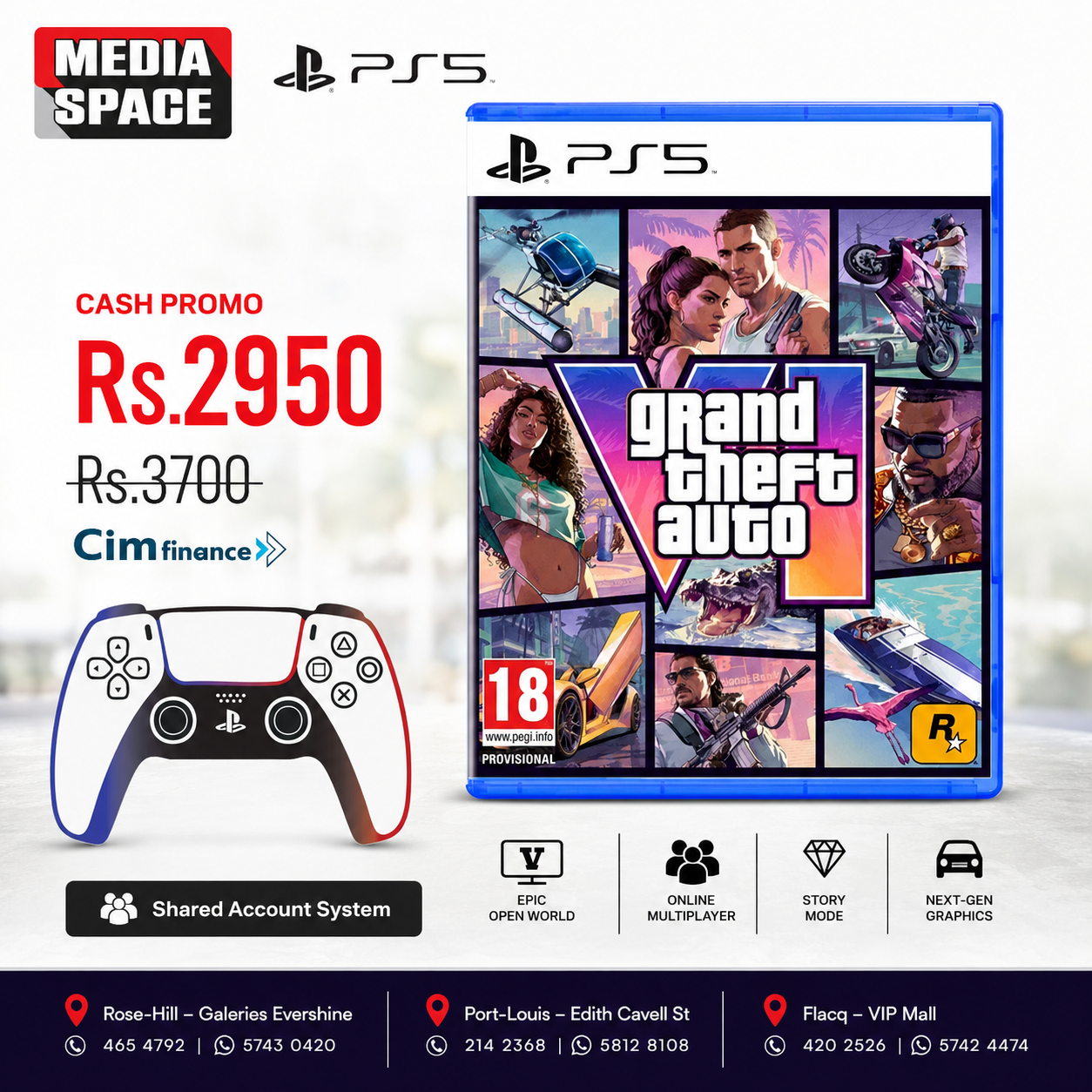
Grand Theft Auto VI: Standard Edition PS5 Shared Account System
₨2,950.00 ₨3,894.00

🎮 Grand Theft Auto VI Standard Pre-Orders
- 🗓 Pre-Orders Open: 25 June 2026 (Midnight Local Time)
DOWNLOAD DATE 12 November 2026 - 🚀 Release Date: 19 November 2026
- 🎮 Available on PlayStation 5 and Xbox Series X|S
- 👤 Single-player experience
All pre-orders and purchases before 20 November include the Vintage Vice City Pack.
⬇️ Pre-Load
- Digital Edition: Pre-load (Starts to download )starts 12 November 2026.
- Physical Edition: Available from 12 November 2026 with a download code for pre-loading.
Once game is purchased. Official countdown will start!
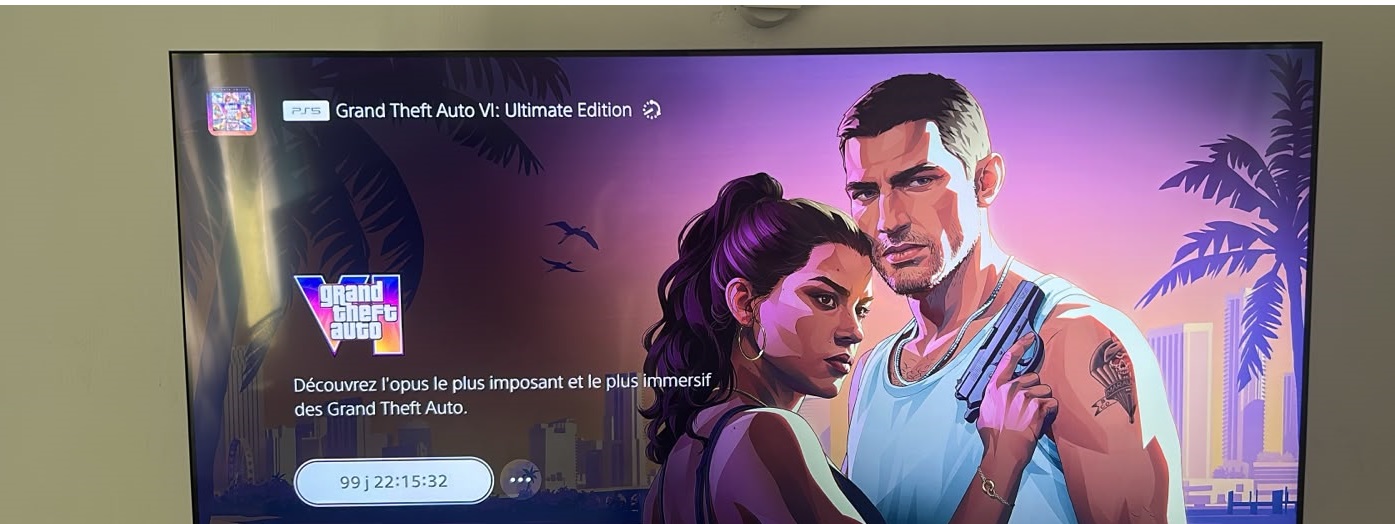
Grand Theft Auto VI (GTA 6) — Standard Edition for PlayStation 5
Product Overview
Experience the next generation of open-world gaming with Grand Theft Auto VI (GTA 6) from Rockstar Games, arriving on PlayStation 5 on 19 November 2026. Set in the vibrant and dangerous world of Vice City and the wider state of Leonida, GTA 6 follows Jason and Lucia as they become entangled in a criminal conspiracy that pushes them deeper into the darkest side of America’s sunniest state.
The Standard Edition comes as a SHARED ACCOUNT download , with no physical disc included. Players can pre-load the game from 12 November 2026, allowing them to be ready for launch day.
Key Features
🎮 Platform: PlayStation 5
🔥 Edition: Standard Edition
🌴 Setting: Vice City, Leonida, USA
👥 Main Characters: Jason & Lucia
🏆 Genre: Action & Adventure
👤 Game Mode: Single Player
🔞 Age Rating: 18+
📅 Release Date: 19 November 2026
💾 Format: Shared Account System
⚡ Pre-Load: Available from 12 November 2026
🎁 Pre-Order Bonus: Vintage Vice City Pack
💿 Physical Disc: Not Included
A New GTA Story
Meet Jason and Lucia, two protagonists whose lives take a dramatic turn when an easy score goes wrong. What begins as an opportunity quickly develops into a dangerous criminal conspiracy spanning the state of Leonida.
Forced to rely on each other, Jason and Lucia must navigate betrayal, danger, crime and unexpected challenges as they fight to survive in the world of GTA 6.
Explore Leonida
Return to the legendary Vice City in a massive new open-world environment. From vibrant city streets and coastal locations to diverse landscapes across Leonida, GTA 6 is built around exploration, freedom and discovery.
Whether you’re following the main storyline, exploring the world, driving through the city or discovering hidden locations, the game offers a vast environment designed to keep you immersed.
Designed for PlayStation 5
Grand Theft Auto VI is built specifically for PlayStation 5, taking advantage of the console’s capabilities to deliver highly detailed environments, immersive visuals, smooth gameplay and fast loading.
From realistic lighting and reflections to detailed characters, vehicles and environments, every part of Leonida is designed to create a living, dynamic world.
Digital Download Code Edition
This Standard Edition includes a digital game download code inside the box rather than a physical disc.
Please Note: The supplied product information specifies that the code requires a PlayStation account registered in India for redemption. Customers should ensure their account meets the regional requirements before purchasing.
What’s Included
- Grand Theft Auto VI Standard Edition
- Retail Box
- Vintage Vice City Pack — included with eligible pre-orders
- No physical game disc
Shared Account System
Product Specifications
Brand: Rockstar Games | Model: Grand Theft Auto VI | Platform: PlayStation 5 | Publisher: Rockstar Games | Genre: Action, Adventure | Game Mode: Single Player | Age Rating: 18+ | Edition: Standard Edition | Format: Digital Download Code in Box | Release Date: 19 November 2026 | Pre-Load: From 12 November 2026 | Disc: Not Included | Setting: Vice City, Leonida, USA | Main Characters: Jason & Lucia | Pre-Order Bonus: Vintage Vice City Pack | SKU: PS5GAMEDIGITALCODEGTAVI | Weight: 80 g
Important Information
This product contains a digital download code only and does not include a physical game disc. A compatible PlayStation 5 console, internet connection and the required regional PlayStation account are necessary to redeem and download the game.
Rockstar Games has not yet provided the final storage requirement in the product information supplied. Customers should ensure that sufficient free storage space is available on their PS5 before downloading and installing the game.
Manufacturer Details
Generic Name: PlayStation Games
Manufacturer: Rockstar Games / Take-Two Interactive Software UK Ltd.
Manufacturer Address: Hanover House, 14 Hanover Square, London, W1S 1HP, United Kingdom
Country of Origin: Austria
Country of Manufacturer: United Kingdom
Importer / Packer: e-xpress Interactive Software Pvt. Ltd., Borivali, India
Frequently Asked Questions
Is GTA 6 Standard Edition a physical disc?
No. This Standard Edition is a shared Account system . There is no physical game disc included.
When will GTA 6 be released on PS5?
Grand Theft Auto VI is scheduled for release on 19 November 2026.
Can I pre-load GTA 6?
Yes. The supplied product information states that pre-loading is supported from 12 November 2026.
Who are the main characters in GTA 6?
The game follows Jason and Lucia, who become involved in a dangerous criminal conspiracy across Leonida.
Where is GTA 6 set?
GTA 6 is set in Vice City and the fictional state of Leonida, offering a large open-world environment to explore.
What is included with the GTA 6 Standard Edition?
The Standard Edition includes a retail box containing a digital download code for Grand Theft Auto VI. Eligible pre-orders also include the Vintage Vice City Pack.
Does GTA 6 require a PlayStation account?
Yes. A PlayStation account is required to redeem and download the game. The supplied product information specifies an India-region PlayStation account for this edition.
What is the GTA 6 PS5 storage requirement?
The final storage requirement has not been specified in the provided product information. Rockstar Games may provide the confirmed requirement closer to launch.
Grand Theft Auto VI — The Next Chapter Begins
From the neon streets of Vice City to the wider world of Leonida, Grand Theft Auto VI brings a brand-new story, new characters and an expansive open world to PlayStation 5.
Get ready to return to Vice City on 19 November 2026.
HOW DOES IT WORK
🎮 PS5 Digital Game Setup Guide
1. Add the Account
From the PS5 Home Screen, open your Profile and go to:
Switch User → Add User → Get Started → Agree & Confirm
2. Send the QR Code Photo
When the QR Code appears, take a clear photo of the entire screen, making sure the 6-digit code below the QR code is visible.
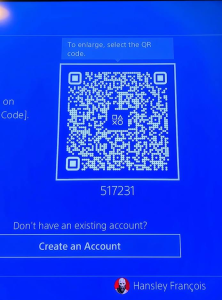
📷 Send me the photo and wait for my confirmation. If code changes , please resend photo
3. Sign In
After I confirm, press Sign In.
You will be logged into the account automatically.
4. Return to the Home Screen
Skip any setup screens until you reach the PS5 Home Screen.
5. Enable Console Sharing & Offline Play
Go to:
Settings → Users and Accounts → Other → Console Sharing & Offline Play
Turn Console Sharing & Offline Play ON.
❗ If you receive an error, send me a photo of the error message.
6. Download Your Games
Open:
Game Library → Your Collection
Select your games and start downloading them.
7. Switch Back to Your Profile
As soon as the download starts, switch back to your own PS5 profile.
✅ Always play your games from your own profile.
❌ Do not play from the purchased account.
8. Keep the Purchased Account
Do not delete the purchased account from your console. It is required for your games to work.
9. If Your Games Become Locked
Sign back into the purchased account and enable Console Sharing & Offline Play again.
This usually fixes the issue.
If the problem continues, contact us for assistance.
🛡️ Lifetime Warranty
This digital game account includes a Lifetime Warranty provided by Media Space, as long as the account rules are followed.
📱 WhatsApp Support: 5743 0420
PAYMENT INFO
Payment
- Payment Method: MCB Juice only
- VAT Invoice provided by Media Space Rose Hill.
Ordering
📱 WhatsApp: 5743 0420
To complete the installation, we will need approximately 10 minutes with you in front of your PS5 connected to the Internet.
Digital Installation Hours
🕐 Every day from 13:00 to 21:00
Payment After Installation
✅ You can pay after the game has been successfully downloaded and tested.
Warranty
🛡️ Lifetime Warranty provided by Media Space, subject to our digital account terms and conditions.
Warranty
🛡️ Lifetime Warranty
Your purchase includes a Lifetime Warranty from Media Space.
To keep your warranty valid, simply play the game only from your own PS5 profile. The purchased account is only for downloading and verifying the game. Do not use the purchased account to play.
As long as you follow these instructions and keep the purchased account on your console, you should never experience any issues.
If you ever need assistance, simply WhatsApp us on 5743 0420. Our team will be happy to help.
🔒 If Your Game Is Locked
Don’t worry—this can occasionally happen and is usually very easy to fix.
- Switch to the profile used to install the game.
- Go to Settings → Users and Accounts → Other.
- Select Console Sharing & Offline Play and make sure it is enabled.
- Switch back to your own profile and try launching the game again.
If the game is still locked, simply WhatsApp us on 5743 0420.
We’ll log the account back in for you and get everything working again. This issue is rare, but if it does happen, we’re ready to help and will resolve it as quickly as possible.
Related products
-
Mouse, NEW PRODUCTS
HyperX Pulsefire FPS Pro
Cash price on promotion : Rs.3250
VIA CIM :Rs.348 monthly with 0 deposit
(Note for this option: YOU NEED TO ALREADY BE A REGISTERED CLIENT TO ROGERS OR CIM
+ YOU NEED TO HAVE NO LATE PAYMENT + NO UNBALANCED ACCOUNT)WITH DEPOSIT FOR NEW CUSTOMER
Via CIM:Rs.307 monthly with deposit Rs.1000WhatsApp 57430420 for any info
SKU: n/a -
Mouse, NEW PRODUCTS
Razer Mamba Elite Wired Gaming Mouse
For Credit facilities .Customer must to shop for quotation.
Credit services offered through(C.I.M/ROGERS/DBM/ECO CREDIT)
FOR CREDIT SHOP CONDITION APPLIES.
- Item will be charged on Regular price. Promotion price for CASH ONLY.
- Client must come on the spot with ID and required Documents.
- Dated Original quotation will be provided.
- -Quotation based on 36-48 Months based per your request. Negotiation for the length of payment may be discussed with your chosen credit facilitator (C.I.M/Rogers/DBM/Eco credit)
*Quotation via email are not accepted by any credit services (C.I.M/Rogers/DBM/Eco credit)
*Once Credit services approves and documents signed. Customer can pick up item in shop.(i) VIA Credit : Rs.xxx monthly with 0 deposit IF APPROVED
(Note for this option: YOU NEED TO ALREADY BE A REGISTERED customer to Credit services (C.I.M/Rogers/DBM/Eco credit))
-REGULAR CLIENT TO Credit services (C.I.M/Rogers/DBM/Eco credit)
-YOU NEED TO HAVE NO LATE PAYMENT.
-NO UNBALANCED ACCOUNT.(ii) WITH DEPOSIT FOR NEW CUSTOMER or
customer that require deposit to be approved Via Credit services : Rs.xx monthly with deposit Rs.xxxDocuments required for Credit application.
- ID CARD.
- Proof of address [incase the address is not on your family name: Birth certificate will be required]
- Payslip last 3 month
- Letter of confirmation from your workplace.
- Bank statement last 3 month –not required but will help process your application faster–
- Deposit 20% required
SKU: n/a