DELUXE DisplayPort to HDMI Adapter Cable – 4K 30Hz | DP Male to HDMI Female Converter
📝 DESCRIPTION
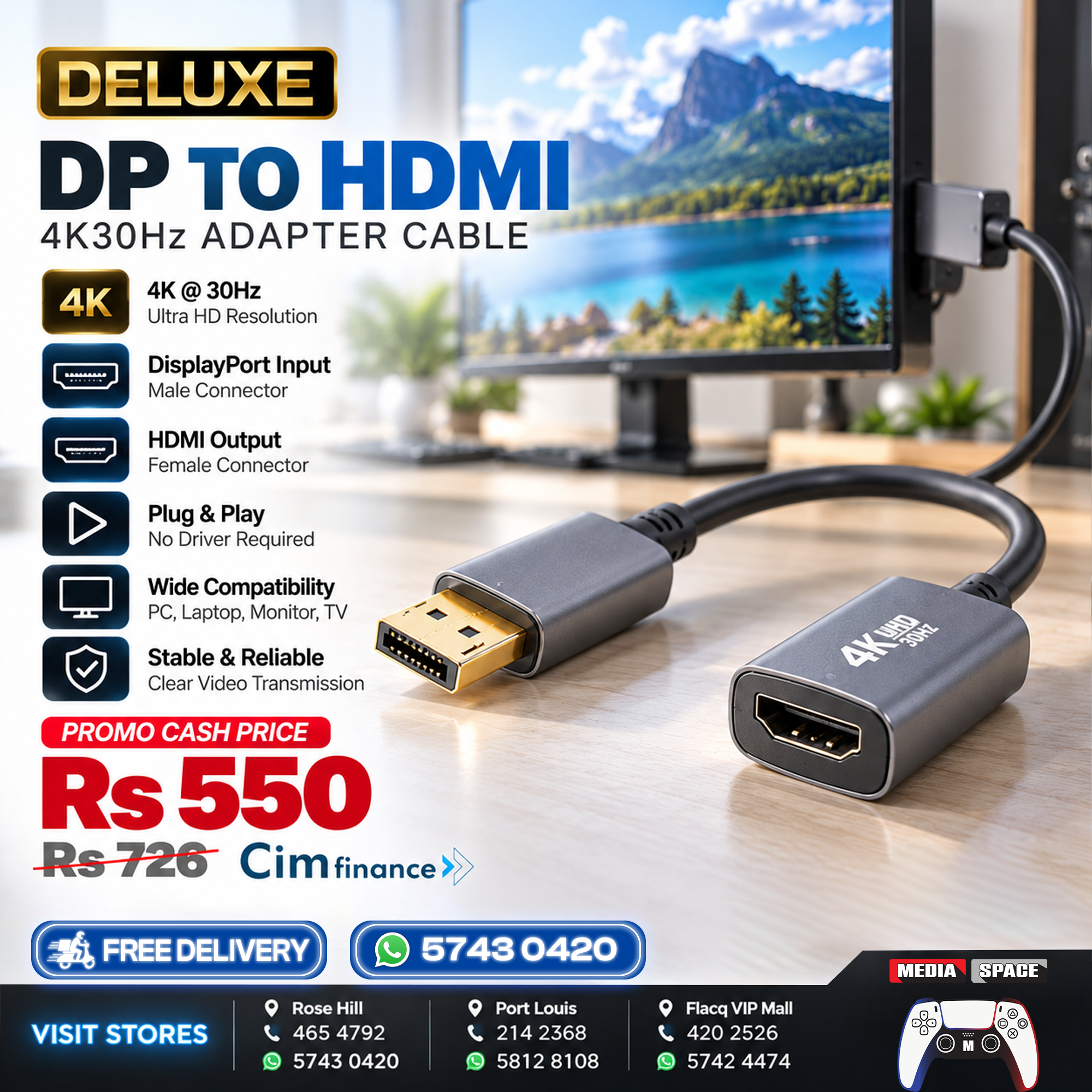
Connect your computer to an HDMI television, monitor or projector with the DELUXE DisplayPort to HDMI 4K 30Hz Adapter Cable, designed for convenient high-resolution video connectivity.
Featuring a standard DisplayPort male connector and HDMI female output, this adapter allows compatible desktop computers, laptops and graphics cards to connect directly to HDMI displays using a separate HDMI cable.
Supporting resolutions of up to 4K Ultra HD (3840 × 2160) at 30Hz, the DELUXE adapter delivers detailed visuals for office productivity, presentations, movies, multimedia entertainment and everyday computing.
Its compact design, durable connector housings and flexible cable construction make it a practical accessory for home offices, professional workstations and multimedia setups.
With simple plug-and-play operation, the adapter provides a straightforward solution for connecting DisplayPort-equipped devices to HDMI displays without requiring additional software or drivers in typical supported configurations.
₨550.00 ₨726.00
⭐ ABOUT THIS ITEM
-
🖥️ 4K Ultra HD Resolution
-
📺 Up to 3840 × 2160 at 30Hz
-
🔌 DisplayPort Male Input
-
📺 HDMI Female Output
-
🎬 High-Resolution Video Transmission
-
💻 Compatible with DisplayPort-Equipped Computers
-
🖥️ Suitable for Desktop PCs & Graphics Cards
-
📽️ Connect to HDMI Projectors
-
📺 Compatible with HDMI Televisions
-
🖥️ Ideal for External Monitors
-
⚡ Plug-and-Play Operation
-
🛠️ No Additional Drivers Required
-
📊 Excellent for Office Presentations
-
🎓 Suitable for Educational Environments
-
🎥 Ideal for Movies & Multimedia
-
📐 Supports Extended Desktop Configurations
-
🪞 Supports Screen Mirroring
-
🛡️ Durable Connector Construction
-
🔗 Compact & Flexible Adapter Cable
-
🏠 Ideal for Home & Office Use
📋 SPECIFICATION
| Specification | Details |
|---|---|
| Brand | DELUXE |
| Product Name | DisplayPort to HDMI Adapter Cable |
| Product Type | Video Converter Adapter |
| Input Connector | DisplayPort Male |
| Output Connector | HDMI Female |
| Maximum Resolution | 4K Ultra HD |
| Supported 4K Resolution | 3840 × 2160 |
| Maximum 4K Refresh Rate | 30Hz |
| Connection Direction | DisplayPort to HDMI |
| Video Signal | Digital |
| Audio Transmission | Depends on Source & Adapter Support |
| Connection Type | Wired |
| Installation | Plug and Play |
| Drivers Required | No, on Supported Systems |
| External HDMI Cable | Required |
| Compatible Sources | PCs, Laptops, Graphics Cards |
| Compatible Displays | HDMI Monitors, TVs, Projectors |
| Screen Mirroring | Supported |
| Extended Desktop | Supported |
| Connector Housing | Reinforced Design |
| Recommended Use | Office, Multimedia & Presentations |
📺 4K ULTRA HD RESOLUTION
Enjoy detailed video output with support for resolutions of up to 3840 × 2160 at 30Hz on compatible equipment.
4K Ultra HD provides four times the pixel count of Full HD, making it suitable for high-resolution desktop applications, movies, presentations and professional displays.
Ideal for:
-
📊 Business Presentations
-
💻 Office Productivity
-
🎬 Movies & Multimedia
-
🖥️ External Monitors
-
📽️ Projector Displays
-
🎓 Educational Applications
🔌 DISPLAYPORT MALE INPUT
The adapter features a standard full-size DisplayPort male connector, designed for compatible computers and graphics cards.
It is suitable for devices featuring a standard DisplayPort video output.
Important: This adapter uses full-size DisplayPort, not Mini DisplayPort or USB-C.
📺 HDMI FEMALE OUTPUT
The HDMI female port allows you to connect a standard HDMI cable to a compatible television, monitor or projector.
This provides a convenient way to reuse an existing HDMI cable when connecting a DisplayPort-equipped computer to an HDMI display.
🔄 ONE-WAY VIDEO CONVERSION
The DELUXE adapter is designed to transmit video in one direction:
DisplayPort
PC / Laptop
HDMI
Adapter + Cable
HDMI Display
TV / Monitor
It does not work in reverse to connect an HDMI computer output to a DisplayPort monitor.
🖥️ EXTENDED DISPLAY & SCREEN MIRRORING
The adapter supports compatible display configurations, including:
Screen Mirroring: Display the same content on your computer and external screen.
Extended Desktop: Expand your workspace across multiple displays for improved productivity and multitasking.
Available display modes depend on your computer’s operating system and graphics hardware.
💻 IDEAL FOR DESKTOP COMPUTERS & LAPTOPS
Connect compatible computers equipped with DisplayPort outputs to HDMI monitors and televisions.
This is particularly useful for desktop PCs and professional workstations where DisplayPort is available but an HDMI connection is required.
📽️ PERFECT FOR PRESENTATIONS
Connect your laptop or desktop computer to an HDMI projector or presentation display.
Ideal for:
-
💼 Business Meetings
-
📊 Office Presentations
-
🎓 Classrooms
-
🏢 Conference Rooms
-
🖥️ Training Sessions
-
📺 Digital Display Applications
🎬 MULTIMEDIA ENTERTAINMENT
Enjoy movies, photos and other multimedia content from your computer on a compatible HDMI television or monitor.
The adapter is designed for reliable digital video transmission, making it suitable for everyday entertainment and general computing.
⚡ PLUG-AND-PLAY OPERATION
The DELUXE adapter is designed for simple installation.
Connect the DisplayPort male connector to your computer, attach an HDMI cable to the female output and connect the cable to your display.
No additional drivers are normally required on supported systems.
🛡️ DURABLE & COMPACT DESIGN
Featuring reinforced connector housings and a flexible cable section, the adapter is designed for practical everyday use.
Its compact construction makes it convenient for home offices, workstations and portable computer accessories.
🖥️ WIDE COMPATIBILITY
Compatible with supported devices including:
-
💻 Desktop Computers
-
🖥️ Workstations
-
💻 Laptops with DisplayPort Output
-
🎮 Graphics Cards with DisplayPort
-
📺 HDMI Televisions
-
🖥️ HDMI Monitors
-
📽️ HDMI Projectors
-
🏢 Conference Room Displays
The source device must support compatible DisplayPort-to-HDMI output. Some equipment may require an active converter rather than a passive adapter.
CREDIT PAYMENT OPTION
Credit Payment Option
📦 Item Details
🔒 Sealed in box
✅ Opened & tested at purchase
💰 Price
🏷️ Normal Price: Rs.726
⚡ Promo Price: Rs.550
👉 Cash Only • Limited Time Offer
❌ No Cheque / No Juice / No Bank Transfers
💵 You may cash your cheque and pay in-store
🏦 Credit Facilities – C.I.M
📍 Quotation in-shop only (with ID Card)
📧 Email quotations not accepted
💡 Credit purchases charged at Regular Price
📑 Original quotation required (copies not accepted)
📝 Process:
- Apply in shop with required documents
- C.I.M approval & documents signed
- ✅ Collect your item / arrange delivery (ID copy + signature required)
💳 Payment Options (C.I.M)
1️⃣ Existing Clients (No Deposit)
- 12 Months: Rs.68/month
- 24 Months: Rs.38/month
- 36 Months: Rs.28/month
- 48 Months: Rs.23/month
- Must be a registered client ✔️
- No late payments ✔️
- No outstanding balance ✔️
2️⃣ New Clients (or requiring deposit)
💵 20% Deposit: Rs.146
- 12 Months: Rs.55/month
- 24 Months: Rs.31/month
- 36 Months: Rs.22/month
- 48 Months: Rs.18/month
📂 Required Documents:
- 🆔 ID Card
- 🏠 Proof of address (+ Birth Certificate if not in your name)
- 📑 Last 3 payslips
- 🏢 Confirmation letter from workplace
- 🏦 Last 3 months’ bank statement (optional but helps approval)
- 💰 20% deposit (if applicable)
🏛️ DBM Credit Finance
✔️ Cheque accepted (via DBM only)
💵 Price: Rs.633
🧾 Processing & accounting fees apply
⚠️ Shop conditions also apply
⚖️ Shop Terms & Conditions
📌 Promo Price = Cash Only • Limited Time Offer
📌 Credit purchases charged at Regular Price
📌 Quotation must be original & dated (no copies accepted)
📌 Credit approval subject to C.I.M/DBM policies
📌 Item delivery only after approval + signed documents + ID copy
📌 Mediaspace reserves the right to refuse service if requirements are not met
Related products
-
Canon Battery, NEW PRODUCTS
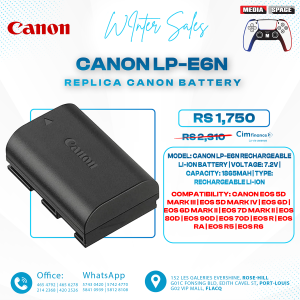
Canon LP-E6N
⭐ ABOUT THIS ITEM
- 🔋 1865mAh Rechargeable Lithium-ion Battery
- ⚡ 7.2V rated voltage
- 📸 Designed for compatible Canon EOS cameras
- 🎥 Suitable for photography & video recording
- 🔄 Ideal replacement or spare battery
- 📊 Compatible cameras can display battery information
- 🔌 Compatible with Canon LC-E6 / LC-E6E chargers
- 🎒 Compact and portable design
⭐ ABOUT THIS ITEM
- 🔋 1865mAh Rechargeable Lithium-ion Battery
- ⚡ 7.2V rated voltage
- 📸 Designed for compatible Canon EOS cameras
- 🎥 Suitable for photography & video recording
- 🔄 Ideal replacement or spare battery
- 📊 Compatible cameras can display battery information
- 🔌 Compatible with Canon LC-E6 / LC-E6E chargers
- 🎒 Compact and portable design
SKU: n/a -
Battery, NEW PRODUCTS
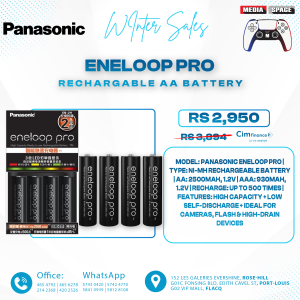
Panasonic Eneloop BQ-CC17
⭐ ABOUT THIS ITEM
- 🔋 BQ-CC17 Advanced Individual Charger
- 🔋 4 × Eneloop AA Rechargeable Batteries
- ⚡ Charges 1–4 Batteries Independently
- 🔄 Supports AA & AAA Ni-MH Batteries
- 💡 4 Individual LED Indicators
- 🛡️ Automatic Overcharge Protection
- 🔍 Detects Invalid / Non-Rechargeable Batteries
- ↔️ Reverse Polarity Protection
- ⚡ Minus Delta V Charge Control
- 🌍 100–240V Worldwide Voltage
- 📸 Excellent for Camera Flashes
- 🎮 Ideal for Gaming Controllers
- 🎙️ Suitable for Wireless Microphones
- 🧸 Great for Toys & Everyday Electronics
- ♻️ Reusable Alternative to Disposable Batteries
SKU: n/a -
NEW PRODUCTS, Nintendo Switch Games Physical
SUPER MARIO PARTY NINTENDO SWITCH GAMES
 Delivery Terms and Conditions✦To place an order, WhatsApp at 5743 0420 or 58128108.✦Payment via Juice must be made upfront.✦We deliver all around the island!✦Delivery is Rs.150!.✦Orders fulfilled within 48 hours after payment, Monday to Friday.✦Deliveries are scheduled between 1PM to 6PM.✦All games are new and sealed in the physical DVD version.
ALL ITEM NEW SEALED IN BOX.
VAT INVOICE INCLUDED
ALL PRICE VAT INCLUDED
GAMES MAY ALSO BE PURCHASED BY CIM AT THE SHOPSKU: n/a